I’m Using AI in Photography, Just Not Where You Think
People keep asking how I and other photographers are using AI in my photography. They usually mean visuals and expect a story about image generation, retouching shortcuts, or some new style trick.
I’m actually using AI in a quieter place: the administrative layer. The part of the job that steals attention. The part that makes you lose track of a great idea, miss a detail buried in an email thread, or put off publishing because the pipeline is annoying and fragile.
AI, for me, is less of an aesthetic tool and more of a studio assistant. Not glamorous but extremely useful and I’m finally starting to catch up on todos.
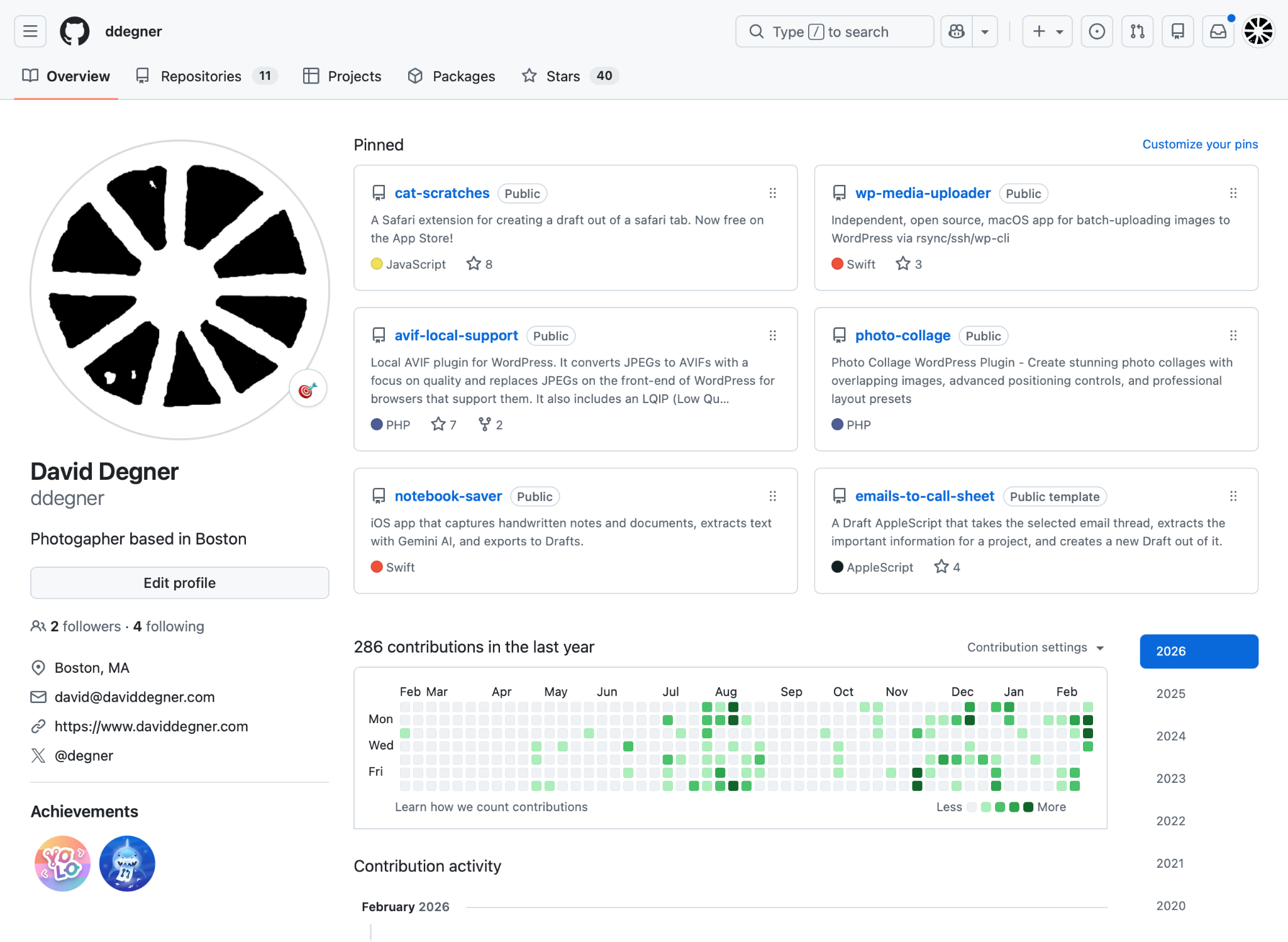
I’ve been “vibe coding” a lot of this. Which, honestly, it’s addictive in a bad way. Each prompt feels like pulling a lever: maybe the code will be perfect this time. It never is. It always needs real thinking, testing, and revisions. But the feedback loop is so fast that I can lose an evening (or a flight) chasing the next “almost there.”
This is also where my past comes back around. I was a web developer in the 90s and hacked in python for a long time. Those instincts never really go away. They just wait. And lately they’ve been paying off—because modern tools make it realistic to build small, personal software that fits the way I work.
Now the snow is thawing, and the spring calendar is filling. Photography jobs are piling up the way they always do when the season turns. The code will probably go back on the shelf again—at least until the next gap opens up.
In the meantime, here are a few tools I’ve built—small projects, but real leverage.
Mileager (iOS App)
Mileager is the app I built because my own mileage records were always one more thing asking for attention.
As a photographer, I drive to shoots, client meetings, scouting days, and errands that blur together. I need accurate tracking for taxes and clients. There are some apps that require subscriptions, and all of them aren’t private or secure. I wanted an automatic mileage tracker that did the boring part quietly, without a subscription, an account, or a company server collecting my location history.
This is where AI has been most useful for me: turning a very specific, personal workflow problem into real software. Not a demo. Not a novelty. A tool I can use after a long shoot when I do not want to reconstruct my day from memory.
Emails To CallSheet (Drafts Actions)
Client decisions don’t arrive neatly. They arrive as threads.
EmailsToCallSheet takes a long email conversation and turns it into a call sheet inside Drafts App. It pulls the details you actually need: when and where to meet, what we agreed on, and the stuff that always gets buried in reply #17.
I built it because digging through email costs time and adds stress. I want one clean page I can review in the morning and reference all day. It also helps me track the state of each job—shot, edited, waiting on feedback, invoice pending—so I don’t lose the thread when multiple projects overlap.
The biggest win is centralization. One place. Easy to visualize. Less mental overhead. More attention left for the work.
Cat-Scratches (MacOS / iOS Safari Extension)
The web is unreadable by default. Cat-Scratches fixes that.
App store link
It’s a Safari extension that turns a Safari tab into a clean draft in the Drafts App. One shortcut. No clutter. It keeps the part I want—the article text—and discards the rest. It also works with the share sheet if you don’t use Drafts.
I built it because every website is structured differently. There isn’t one “article tag” you can trust. I needed a reliable way to find the start and end of the content and throw away ads and junk. I solved the hardest cases with a small AI helper that identifies the relevant tags when a page is weird.
This is an input tool. It helps me be a better photographer because it keeps my research, references, and story leads organized and readable. And it works offline—so on the subway, I can open Drafts and actually read what I saved instead of getting sucked back into the browser.
WP Media Uploader (MacOS App)
App Store Link / Still in review 02/20/26
Publishing is part of the job. But WordPress uploads can fall apart when you do what photographers actually do: upload multiple large files at once.
My images are often 10–20MB each. A typical project upload might be ~10 photos. WordPress works fine… until it doesn’t. And it tends to break right when you’re trying to keep your portfolio current.
WP Media Uploader is a macOS app that uses a more reliable method to upload images and get them into the WordPress backend. I prefer uploading full-sized files so the server can downsize to the right dimensions at high quality. I don’t want to pre-shrink images and hope they still look good.
This tool helps me be a better photographer because it removes friction between “I made the work” and “people can see the work.” When publishing is reliable, I post more. When it’s not, I procrastinate.
AVIF Local Support (WordPress Plugin)
Most “speed up your photo site” advice is a quality tax. It usually means degrading images until they’re smaller.
AVIF Local Support is my refusal of that tradeoff.
It’s a WordPress plugin that converts JPEGs to AVIF with a focus on quality and serves AVIFs on the front-end for browsers that support them (with fallbacks for everything else). It also includes LQIP support so pages feel fast while full images load.
It runs automatically in the background. I don’t touch it anymore. It just works.
This helps me be a better photographer because it protects how the work is experienced online: fast loading, high quality, and not quietly compromised.
Photo Collage (WordPress Plugin)
Default WordPress layouts are limited. You can put images next to each other, but it’s hard to create anything with real energy—no overlap, no controlled chaos, no magazine-style rhythm.
Photo Collage is a WordPress plugin that lets me build more interesting layouts with overlapping images, positioning controls, and presets that still behave across different screen sizes.
I use it across my site. You can see the difference between older pages built with standard blocks and newer pages built with Photo Collage. It’s especially good for blog posts where I want to share quickly but still make the presentation feel designed.
It helps me be a better photographer because presentation is part of storytelling. Sequencing and pacing matter. The web shouldn’t flatten that.
Notebook Saver (iOS App)
Haven’t released on the app store yet.
I still carry a notebook. I still think on paper. But paper becomes a dead end if the notes never make it into the system where projects actually move forward.
Notebook Saver is an iOS app that captures handwritten notes, extracts text with Gemini AI, and exports it to Drafts.
I use it for shoot plans, creative ideas, client notes, and scouting notes. The point is simple: it erases the border between “I wrote this down” and “I can use this later.” I don’t have to retype everything. I can keep moving.
It helps me be a better photographer because good ideas don’t get stranded. They get captured, organized, and turned into action.
The point of all this
None of these tools are trying to replace photography.
They’re trying to protect it.
They reduce friction. They reduce entropy. They keep my attention available for the part that matters: being present, seeing clearly, making decisions quickly, and telling stories well.
And as the season ramps up, I’ll probably pause the coding again. That’s fine. The camera comes first.
But I like knowing these tools are there—quietly smoothing out the day—waiting for the next gap.
Follow me on github: https://github.com/ddegner